Home-screen widget
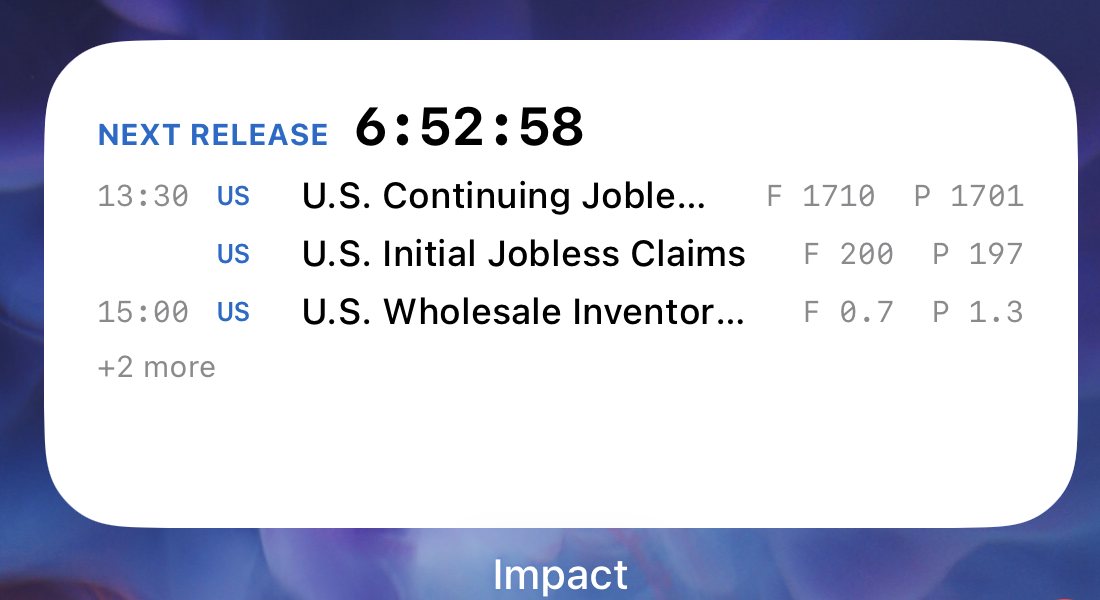
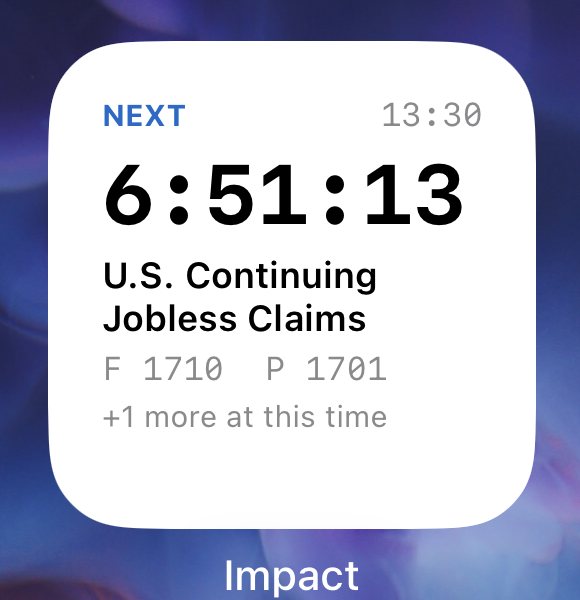
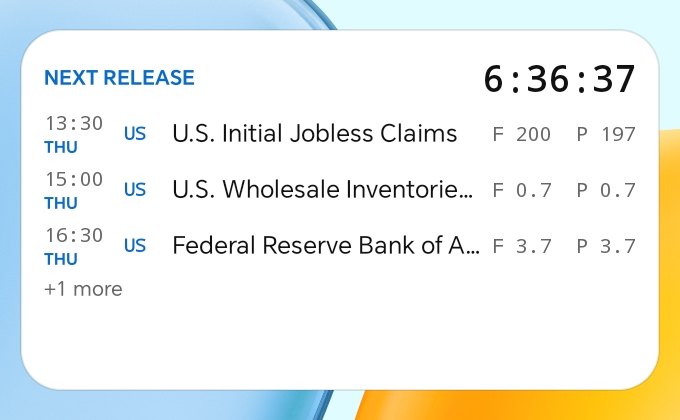
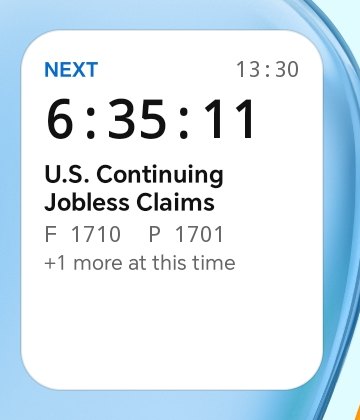
The next release, counting down on your home screen.
See what prints next — and everything else released at the same moment — without opening the app. Included with every Impact account, on iPhone and Android.
Needs Impact 1.0.4 or later · iOS 16 or later · Android 8 or later
On iPhone
On Android
Why it earns a place on your home screen
Never miss the print
A live countdown ticks on its own, down to the second. You know exactly when the number lands, without opening anything.
See the whole moment
Nonfarm Payrolls, the unemployment rate, average hourly earnings and the Canadian jobs figures all print at the same instant. The widget groups them under one countdown, with forecast and previous for each.
Yours to tune
Pick your currencies, hide releases that have no forecast, and choose one to four rows. Changes show on the widget straight away.
Add it in under a minute
First: update Impact to version 1.0.4 from the App Store or Google Play, open it once and sign in. That loads your schedule, so the widget has something to show the moment you add it.
On iPhone
- Touch and hold an empty part of your Home Screen until the icons jiggle.
- Tap + in the top-left corner. On some versions it says Edit — tap that, then Add Widget.
- Search for Impact.
- Swipe to Small or Medium, tap Add Widget, then Done.
On Android
- Touch and hold an empty part of your home screen — or pinch in with two fingers.
- Tap Widgets.
- Search for Impact, then choose Small (2×2) or Medium (4×2).
- Touch and hold the widget and drag it where you want it.
Set it up your way
Open Impact, tap the person icon at the top right, then Widget settings. The widget updates as soon as you change something.
- Currencies — every currency, or only the ones you pick.
- Only releases with a forecast — hide the minor releases that have none.
- Rows — how many releases the medium widget lists, from one to four.
- After a release prints — move on straight away, or keep it on show for 15, 30 or 60 minutes.
Questions
How up to date is it?
The countdown is exact. The list of releases refreshes whenever you open Impact, so open the app now and then. A released figure appears on the widget once the app has refreshed after the release printed.
Impact isn't in my widget list
The update has not finished installing. Check Impact says version 1.0.4 or later, restart your phone, and look again.
It says “Open Impact to load the schedule”
Open Impact once and sign in. The widget fills in within a moment.
The times look wrong
The widget follows the time zone you choose in Impact. Open Impact, tap the zone shown under the date, and pick the one you want.
Does it cost anything, or use my data?
It is included with every Impact account. The widget itself makes no network requests and does not use your location: it reads a list of releases that the app saved on your phone, and shows only the releases your account can see in the app. Signing out clears it.
Still stuck?
Email impact@dostumamigo.com with your phone model and we will help.
Don’t have Impact yet?
Get the app, then add the widget. One Impact account covers the website and both apps.